 SpotThemes
What you need
Venue Map runs on any normal WordPress site. Check these four things before you start.
| Need | Details |
|---|---|
| WordPress | 6.5 or newer |
| PHP | 7.4 or newer, with the PHP XML extension (most hosts have it). It is only used to read SVG floor plans. |
| A key | A licence key from your purchase email. |
| A floor plan | An SVG file per floor, or a picture (PNG, JPG or WebP). See Add floors and floor plans. |
Set it up in 7 steps
The whole setup takes one sitting. If you have an SVG plan with named shapes and a CSV of your places, most of the work is two uploads.
- Install the pluginIn WordPress, go to Plugins, Add New Plugin, Upload Plugin. Choose the Venue Map zip from your order, press Install Now, then Activate.
- Paste your keyGo to Venue maps, Settings & license. Paste your licence key and press Activate. You see License activated. Thank you!
- Add a venueGo to Venue maps, Add venue and type a title, for example the name of your mall. The title is the map's header label unless you change it in Settings.
- Add a floor planIn the Floor panel on the right, press Upload SVG plan or Floor plan picture. Add more floors with the
+ Floorbutton above the map. - Put your places on the mapPick Pin, Draw shape, Box or Use SVG shape above the map and click the floor. Or import a CSV of all your places at once.
- SavePress Publish (or Update). Visitors only see published venues. Drafts show only to people who can edit them.
- Show it on a pageAdd the Venue map block, the Venue map Elementor widget or the shortcode from the Show this venue box, for example
[spotthemes_venue_map id="123"].
The builder at a glance
Every venue opens in the Venue builder, a box with six tabs. You work in Map & places most of the time.
| Tab | What you do there |
|---|---|
| Map & places | Switch floors, upload floor plans, place and edit places. The tools are Select / move, Pin, Draw shape, Box, Use SVG shape and You are here. |
| Categories | Name, colour and icon for each category. Tick Amenity for toilets, lifts and the like. |
| You are here | Points for kiosks, entrances and QR signs, with the ?yah= link of each. |
| Settings | Style, height, directory side, first floor, order, zoom, labels and hours. |
| Import / export | CSV import and export of places, and a JSON backup of the whole venue. |
| Preview | The real map as visitors see it, with your unsaved changes. |
TipCtrl+Z (Cmd+Z on a Mac) undoes the last change in the builder, and Ctrl+Shift+Z redoes it. If you leave the page with unsaved changes, WordPress asks first.
What visitors see
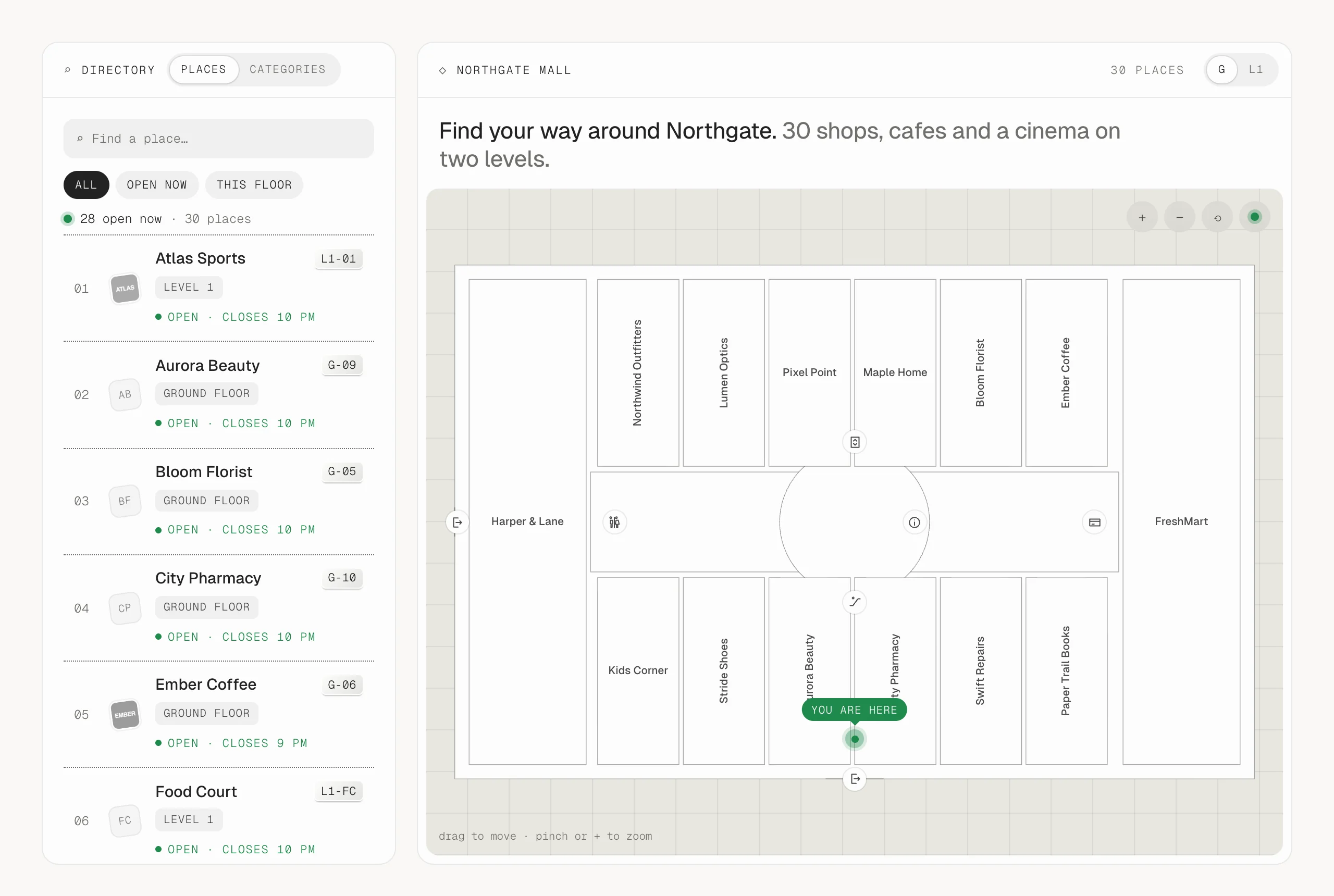
A directory card beside a map card. Visitors search by name, unit, tag or category, tap category chips, switch floors and click a place to see its card with hours, phone, website and photos. On phones the map fills the screen and the directory is a bottom sheet. Without JavaScript, the page still shows a plain list of every place.
Test and staging sites
Activating your key on a local or staging copy is free. Venue Map spots addresses such as localhost, *.test, *.local, staging.yoursite.com and the staging domains of common hosts, and checks the key there without using up a site. The full list is in Licence, sites and staging.
Next steps
Build your venue floor by floor: add floors, then add places. Every other help page is listed in the SpotThemes docs. Prices and plans are on the Venue Map product page.
Related docs
- Add floors and floor plansAdd up to 30 floors per venue. Each floor takes an SVG plan up to 5 MB with clickable shapes, or a PNG, JPG or WebP picture.
- Add places, categories and opening hoursEvery field of a place in Venue Map, how categories and amenities work, and how to type hours with split shifts and times past midnight.
- Place the map: block, shortcode or ElementorShow a venue with the Venue map block, the Elementor widget or [spotthemes_venue_map id]. All shortcode options: theme, height, floor.
- Licence, sites and stagingHow Venue Map licence keys count sites, why test and staging sites are free, how to move a site, and what happens when a plan ends.